In short
- Buskara installs on a Shopify store like any other app: install it, approve read-only access, and switch on an app embed in the theme editor. No code and no tokens in sight.
- The catalogue reaches the index in real time, through Shopify itself: a changed product or stock level shows up in search seconds later, in every published language of the store.
- The similar products button and the "you may also like" carousel are theme editor blocks, dragged onto the product page.
- Orders are tied to the search or assistant session that led to them, and that is how the panel shows the revenue search brought in.
- Day-to-day syncing is free. Only forcing a complete reindex costs 1 bToken per 1,000 documents, and the panel states the count before you confirm.
The search of an online store is the part of the site where the customer says, in their own words, what they want to buy. It is also the part most Shopify stores leave as it came: the theme's search bar, answering with what the platform ships.
Buskara is a Shopify search app that replaces that bar, and does it in a way a module never could: no key to copy, no module to download, nobody opening a theme file. It already did the same on PrestaShop stores, with a module that never touches the theme. This article explains what changes, what stays where it is, and what it costs.
What changes on a Shopify store with Buskara
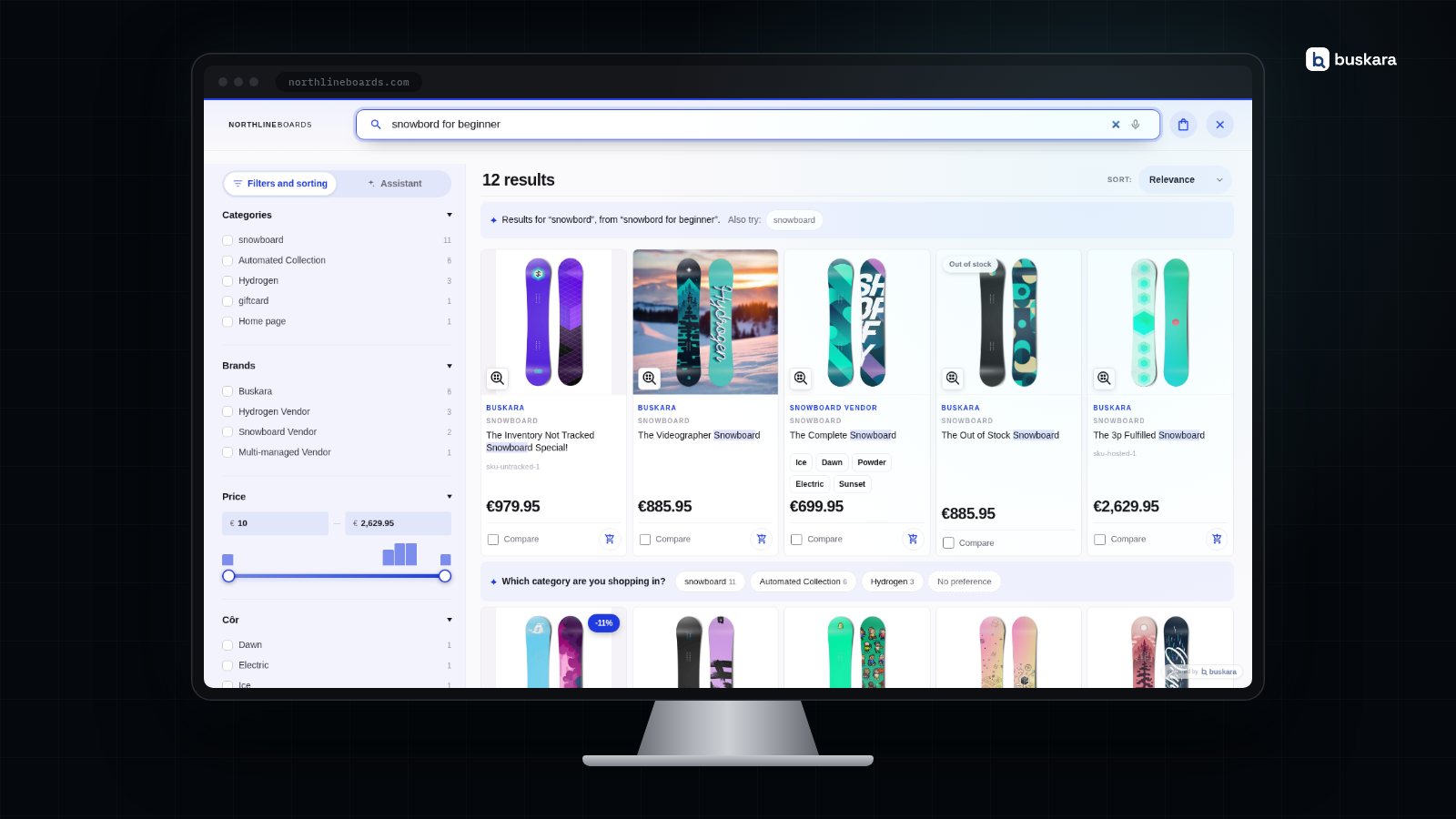
The theme's search bar and search icon stay where they are. What changes is who answers when someone types into them: instead of the platform's engine, the Buskara search panel opens, cursor ready to type.
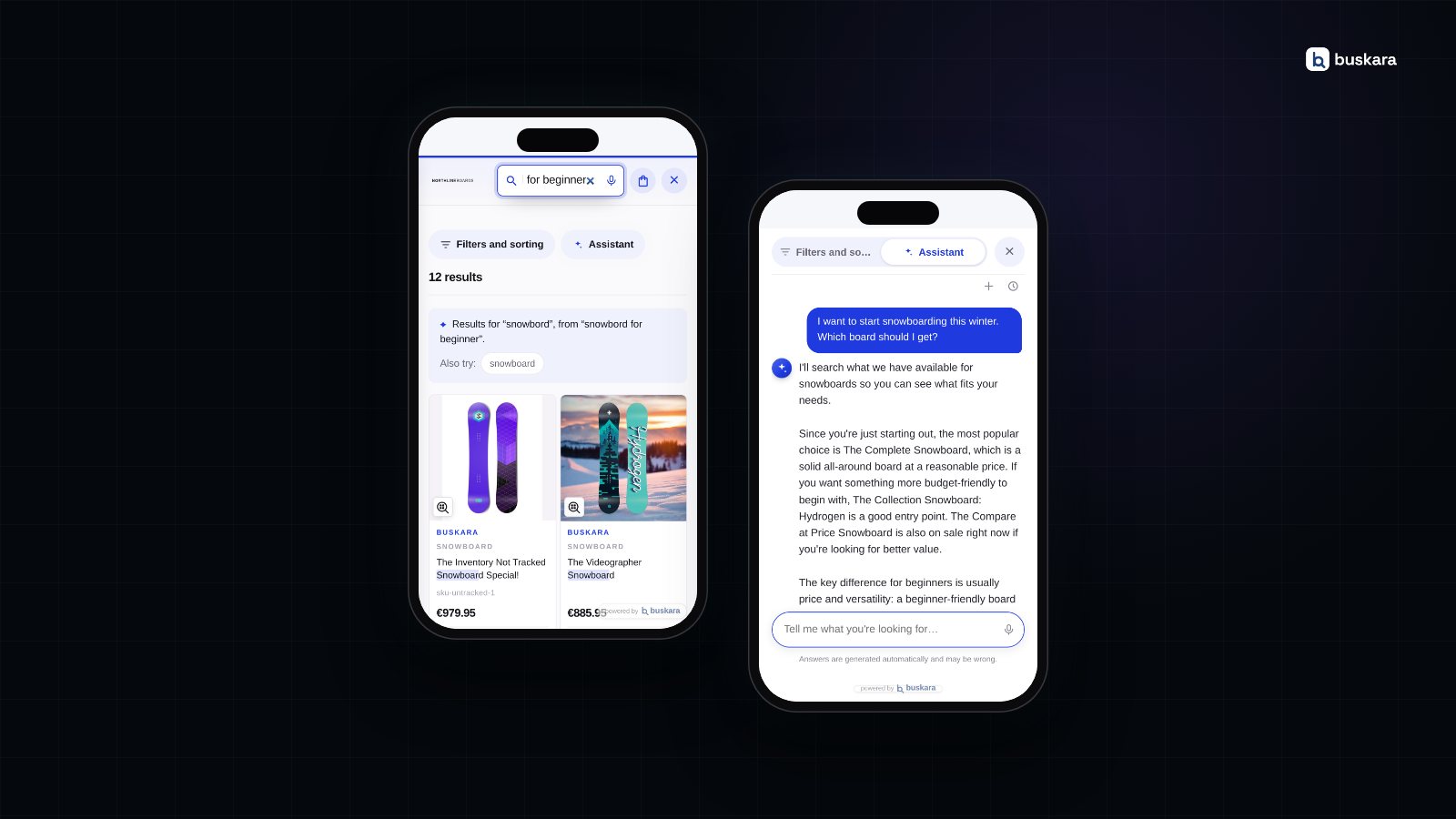
The search that appears corrects typos and shows what it corrected, understands synonyms and intent, and draws the filters from what the results contain: brands, types, sizes, whatever the products actually bring. When a search was about to end in zero results, AI translates the phrase into terms of the catalogue and tries again. And questions that are not products, such as "how long does delivery take", find their answer in the store's content, in a separate block that does not steal space from the products.
On the management side, the panel appears: the searches that came back empty, the synonyms AI suggests and you approve with one click, merchandising rules with dates, and the revenue attributed to search and to the assistant, day by day.
What stays exactly as it was matters as much as what changes:
| Stays on Shopify | Runs on Buskara |
|---|---|
| The theme, its sections and its CSS | The search index and typo correction |
| Products, variants and stock | Synonyms, filters and sorting |
| The cart and the checkout | The assistant and the reports |
| Orders and customer data | Revenue attribution to search |
One-click installation, no code
Installing Buskara on a Shopify store takes three gestures, and none of them is technical.
- Install the app. Type the store address, Shopify shows the consent screen, and you approve. Every access requested is read-only: products, inventory, publications, languages, markets and orders. Buskara asks for no write permission over the store.
- Wait for the first sync. It starts on its own as soon as the app is installed. A small catalogue takes under a minute; a large one, a few.
- Switch on the embed in the theme editor. Under Online Store → Customize, in the app embeds, switch on Buskara and save. From that moment the search is Buskara's.
There is no API key to copy, no token to paste, no tag to inject into the theme. Switching the embed off brings Shopify's native search back at once. The steps, with screenshots and the exact menu names, are in the guide connecting a Shopify store.
Theme editor blocks: similar products and "you may also like"
The two pieces that live on product pages require no code: they are theme editor blocks, and they are dragged to wherever the merchant wants them.
- Buskara: similar products button. A discreet button on the product page that opens the similar products panel, with filters and comparison. The usual spot is under the buy button.
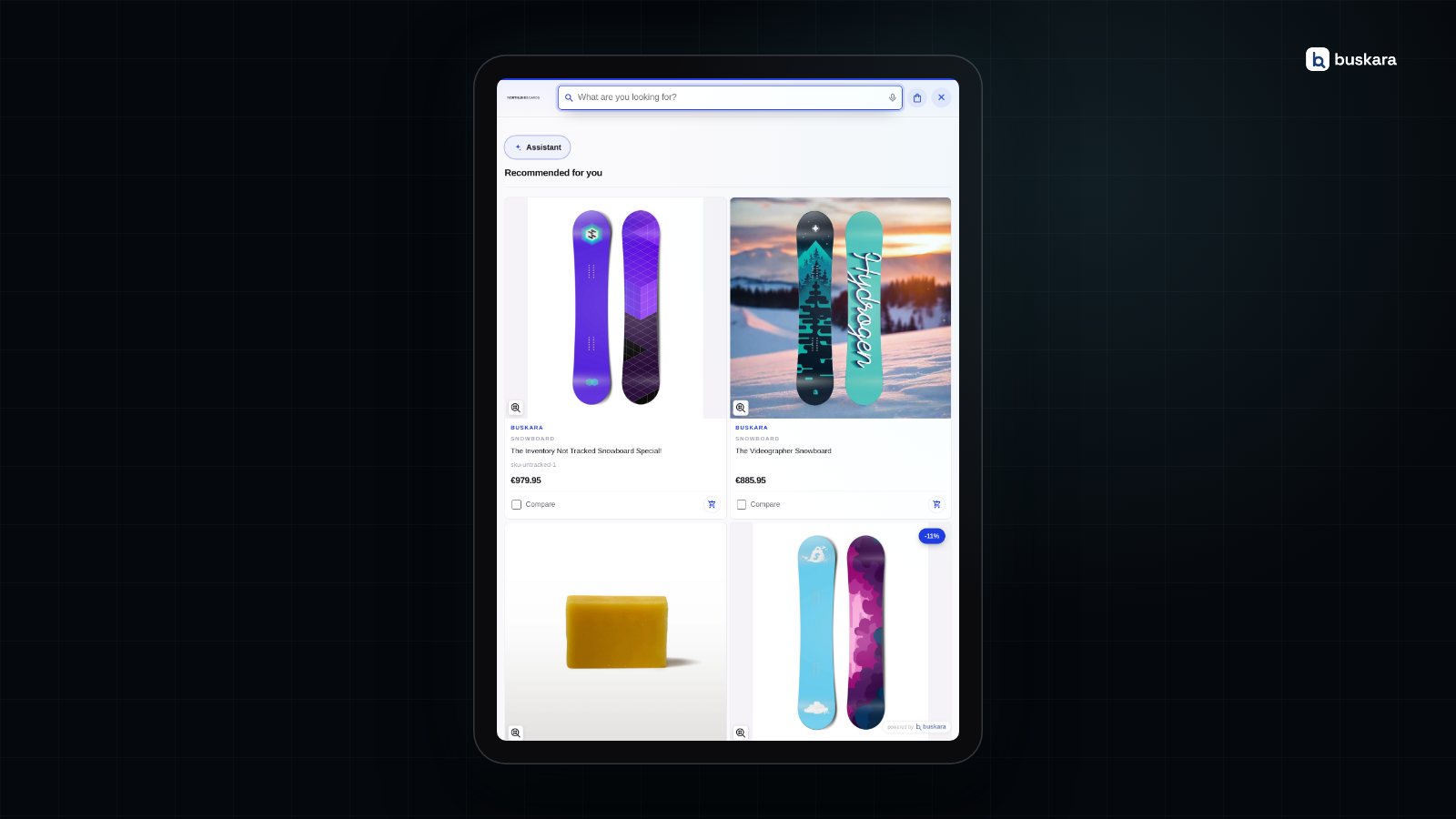
- Buskara: you may also like block. The recommendations carousel, fed by what is viewed and bought in the store. On a product page the suggestions start from that product; on any other page it shows the store's general recommendations.
The two blocks only render when there are results to show. A block with nothing to say takes up no room on the page.
Real-time catalogue, through webhooks
On a Shopify store the Buskara index stays up to date through two routes, and neither needs configuring.
The first is real time: Shopify itself tells Buskara whenever a product is created, changed or deleted, or the stock moves, and the change reaches the index seconds later. Almost everything goes through here, and it is what keeps the price and stock in search the same as in the store.
The second is the periodic safety net: on a regular cycle, Buskara checks with Shopify what changed since the last pass, so nothing is left behind if a notification gets lost along the way. It does not depend on any store address being reachable from outside, which was the condition the periodic sync required on PrestaShop.
The index follows the store's published languages: a store in English and French gets search in both, with the product translations that exist on Shopify and the original where they do not. Variants go into the document, so that search can add the right size or colour to the cart. The mechanics are in how the catalogue is indexed.
An assistant that only sells what exists
A visitor who does not know the name of what they need can simply describe it. The Buskara assistant recommends from the real catalogue and the real stock, never invents products or prices, and hands the conversation over to the store's support when it does not know the answer. It can fill the cart during the conversation and take the customer to checkout.
What sets it apart from a generic chatbot is what it refuses to do, and that is explained in an assistant that can't say "I don't know" is a problem. How it is configured, which sources it uses and how to give it a knowledge base is in the assistant guide.
Sales attributed to search and to the assistant
The question that decides whether a search is worth what it costs is "how much did it sell?", and on a Shopify store Buskara answers it without anyone installing anything else. Every order Shopify reports is tied to the search or assistant session that led to it, when there is one.
By default only orders touched by search enter the attribution: a purchase born from a search, a click on a result or a conversation with the assistant counts; one that arrived from a campaign and never went through the search box does not. It is a conservative attribution on purpose, so that the number the panel shows is a number you can trust. Why the correlation between searching and buying is so misleading is in people who search buy more, and that doesn't mean what it looks like; what the panel shows is in the analytics guide.
What indexing costs
Nothing, day to day. Real time, the periodic safety net and the first sync when the store connects cost nothing: they do not push against the plan limit and they do not generate overage. Keeping the catalogue up to date should not be a budget decision.
What has a price is forcing. The Reindex everything button, on the store's page in the panel, clears and rebuilds the engines from the catalogue, and costs 1 bToken per 1,000 documents sent; a catalogue of 8,000 products is 8 bTokens. The confirmation dialog states the count before starting, and what is spent shows on the usage chart. When it is worth clicking, and when it is not, is in reindexing the catalogue.
Pros and cons of replacing Shopify's native search
The search that ships with Shopify is not bad, and it deserves a fair description. According to the platform's documentation, it tolerates one typo in words of 3 to 5 letters and two from 6 letters up, and the free Search & Discovery app adds synonyms, filters and product boosts per term. On a small store with a stable vocabulary, it is often enough.
| For | Against |
|---|---|
| Installs and uninstalls like any app, without touching the theme | There is now an external dependency the native search did not have |
| The index follows the catalogue through webhooks, with nobody pressing buttons | A forced complete reindex has a cost, small but real |
| Filters are born from the results, not from a hand-maintained list | Tuning now lives in another panel, not in the Shopify admin |
| Revenue attributed to search appears without installing anything else | A report nobody reads is not worth what it costs |
| The assistant and the content answer questions that are not products | A store with two hundred products and customers who know what they want may not need it |
The first line on the right is the serious objection. The possible answer is the first line on the left: the app embed switch turns Buskara off at once, and the native search comes back exactly as it was.
Try it on the store, with the real catalogue
Buskara is tried on the store itself, with the real catalogue and the real traffic: 30 days free, with nothing to pay up front. At the end you pick a plan, or you pick nothing. The plans share the same search core and differ in capacity, and signing up leads to the app installation in three steps.
Frequently asked questions
Does Buskara change the Shopify theme?
It changes no sections, files or CSS. It switches on as an app embed in the theme editor, and the similar products and recommendations blocks are ordinary editor blocks, dragged in and removed like any other. Switching the embed off brings the native search back at once.
What access does the app request?
Read-only: products, inventory, publications, languages, markets and orders. There is no write permission over the store, and access to orders serves only to attribute sales to search and to the assistant.
How fast does a stock change reach search?
Seconds. Shopify notifies Buskara through a webhook when a product or the inventory changes, and the change enters the index without waiting for any sync. A periodic safety net checks, on a regular cycle, that nothing was left behind.
Does search work in the store's several languages?
Yes. The index follows the languages published on Shopify, with the product translations that exist and the original where they do not. Each language has its own engine, with its own synonyms and weights.
How is revenue attributed to search?
Every order Shopify reports is tied to the search or assistant session that led to it. By default only orders that went through search count, through a click on a result or a conversation with the assistant; the others stay out, so that the number is conservative.
How much does keeping the catalogue indexed cost?
Nothing. Real time, the periodic safety net and the first sync are free. Only forcing a complete reindex has a price, 1 bToken per 1,000 documents sent, and the panel shows the count before you confirm.
Do I need to program anything?
No. Installation is approving the app and a switch in the theme editor. Headless stores or unusual setups can connect with a manually created access token, and that is in the guide on connecting a Shopify store.
What happens if I uninstall the app?
The store's search goes back to Shopify's. The index on Buskara's side keeps existing, it just stops being fed; installing again connects the store to the same account and nothing is lost.
Was this article useful?
Thank you.
Up next
Hiding out-of-stock products looks like the obvious decision and is usually the wrong one. What shoppers do when they ru...
Search · 9 min read The store's search in Google AnalyticsOne switch and the search starts writing to the store's dataLayer. Who decides what goes on to GA4, and with what consen...
Conversion · 12 min read Searches with no results are the shopping list nobody readsAn empty search is the only place where the customer writes down what they wanted to buy and didn't find. Four causes ex...
We only write when we have something to say
Get new articles on search, conversion, e-commerce and what we learn from real data.