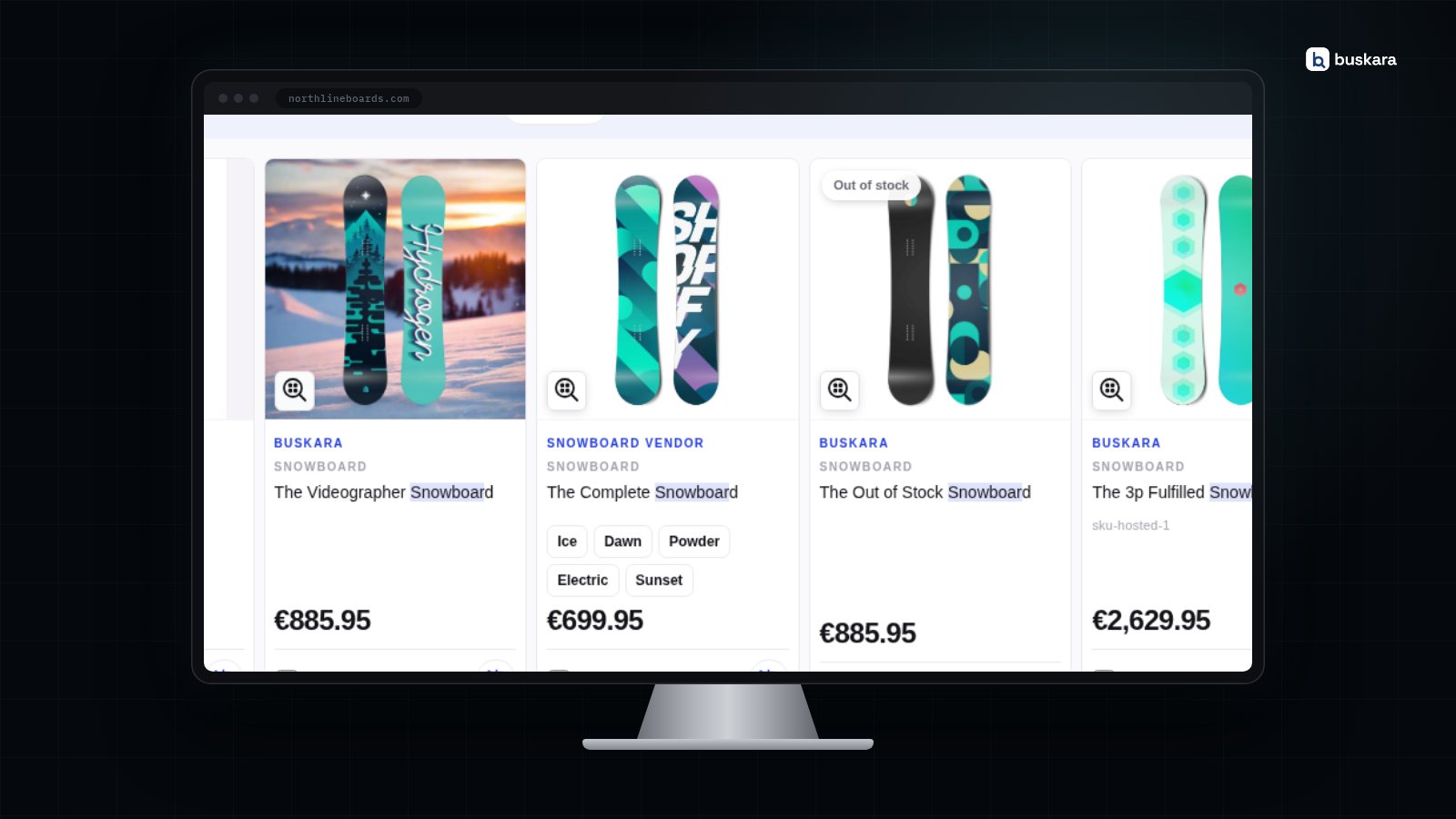
In short
- An out-of-stock product in the search results is rarely an error: it is a configuration option nobody revisited, or a copy of the catalogue that fell a few minutes behind.
- Hiding out-of-stock products only makes sense for what is not coming back. Someone who searches a product by name and gets zero results does not learn that it sold out: they learn that the store "does not have it", and go looking elsewhere.
- Pushing down is the middle ground that usually works: the product is still found, with the out-of-stock sign, after the ones that can be bought today, and with alternatives next to it.
- Showing without a sign is the worst of the three. The customer clicks, gets interested, and only finds out on the product page that it cannot be bought.
- The out-of-stock product page should not disappear: it stays indexed by Google, keeps receiving links, and is where alternatives win over the people who were about to leave.
A customer searches, finds the product, clicks, and the product page says it is out of stock. It is one of the most frequent moments in an online store and one of the least thought about: most stores decide what to do with out-of-stock products once, in a configuration option, and never return to it.
The decision weighs more than it seems. An out-of-stock product is a search with buying intent, a page Google already knows, and a customer who may stay or go looking at another store. This article goes through what customers do when they find one, compares the three options a store has, and explains why store search sometimes shows stock the store already knows is gone.
What the customer does when they find an out-of-stock product
A considerable share leaves, and goes looking for the same product at another store. The Baymard Institute's research on out-of-stock products measures it: when the product the customer wanted is unavailable, about 30% are likely to simply abandon. The same study notes that 68% of sites do not let customers order a temporarily out-of-stock product, and that email notifications and wishlists deliver little as the primary answer, because someone who wants the product now would rather buy it elsewhere right away.
What keeps the people who were about to leave is what the store puts in front of them at that moment: visible alternatives for those who are not set on that exact product, and a date or a lead time for those who are. An out-of-stock product with alternatives next to it is a fork in the road; one on its own is a dead end.
There is also the frustration in the opposite direction: finding out-of-stock products in the results with no indication at all, clicking, and finding out on the product page. That is the case where the product shows up as if it were for sale, and it is the easiest one to avoid.
Hide, push down or show: the three options compared
Push down, in most stores. Hiding is the right choice for what is not coming back; showing without a sign is the wrong choice in every case.
The argument against hiding is the customer who knows what they want. They search for the exact name of a product they bought last year, and search answers with zero results or with something else entirely. They do not learn that it is out of stock, nor when it is back, nor what is similar: they learn that the store "does not have it". At the same time, that product's page loses the only entrance it had from search.
The argument against showing without a sign is the simplest one: the customer clicks, gets interested, and only finds out on the product page that it cannot be bought. If out-of-stock products appear, they appear marked.
Pushing down combines the best of both. The product is still found by whoever searches for it by name, with the out-of-stock label in plain sight, but after everything that can be bought today: someone searching "winter coat" sees the available ones first, and someone searching for that coat still finds it, with similar products one click away.
| Option | For | Against |
|---|---|---|
| Hide | The results list only has what can be bought today | Whoever searches for the specific product gets zero results and no explanation; the product page is left without an entrance from search |
| Push down | The product is still found, with the out-of-stock label, but after everything in stock | In a category where running out is the rule, the list can end with a queue of out-of-stock products |
| Show anyway | Pure relevance: a highly relevant out-of-stock product rises | Without a label it is the worst experience; with one, it still takes the top spots from people who want to buy today |
The practical rule: push down what is coming back, hide what has been discontinued, and never show without a sign.
The out-of-stock product page counts too
The page of an out-of-stock product should not disappear. It stays indexed by Google, keeps receiving links from outside and inside the store, and is the entrance for whoever searched for the product by name, inside the store or outside it. Deleting the page, or answering with an error, throws away that traffic and the position the page had.
What the page should do is what the search results should do as well: say clearly that it is out of stock, show alternatives in stock and, when there is a date, say when it is back. In structured data, availability has its own value for this, the OutOfStock in schema.org's availability list, and it is how Google shows the right state without dropping the page from the index.
A discontinued product is the different case. There, Baymard's recommendation is to mark it as discontinued and heavily promote alternatives on the page itself, instead of deleting it; if the page really has to go, a redirect to the product that replaces it, or to the category, keeps whoever arrives through an old link inside the store.
Why search shows products that have already sold out
Because search does not run on the store's database. It runs on an index, a copy of the catalogue prepared to answer in milliseconds, with fields split into words, synonyms applied and filters pre-counted. That preparatory work is what makes a search answer as you type; the cost is that the copy has to be kept equal to the original, and there is a gap, however short, between a change in the store and the same change in the index. Where the milliseconds go, and why the copy is the only way to earn them, is in where search spends its milliseconds.
Most days that gap is seconds, and nobody notices it. An out-of-stock product in the results, when the store already knows it sold out, shows up for one of three reasons:
| Symptom | Likely cause |
|---|---|
| One specific product is stale, the rest is right | The change did not go through the real-time path: CSV import, direct edit in the database, an ERP writing from outside |
| The whole index seems stuck for days | The periodic sync is blocked, and nobody noticed because it raises no error |
| Out-of-stock products show up, but labelled and at the end | Not an error: it is the push-down option doing what it was asked |
The first two are confirmed in a minute: search for the product outside the theme, and look at the date of the last indexing. That step by step, with every cause of a product not showing up in order of likelihood, is in the guide on missing products.
How Buskara handles out-of-stock products
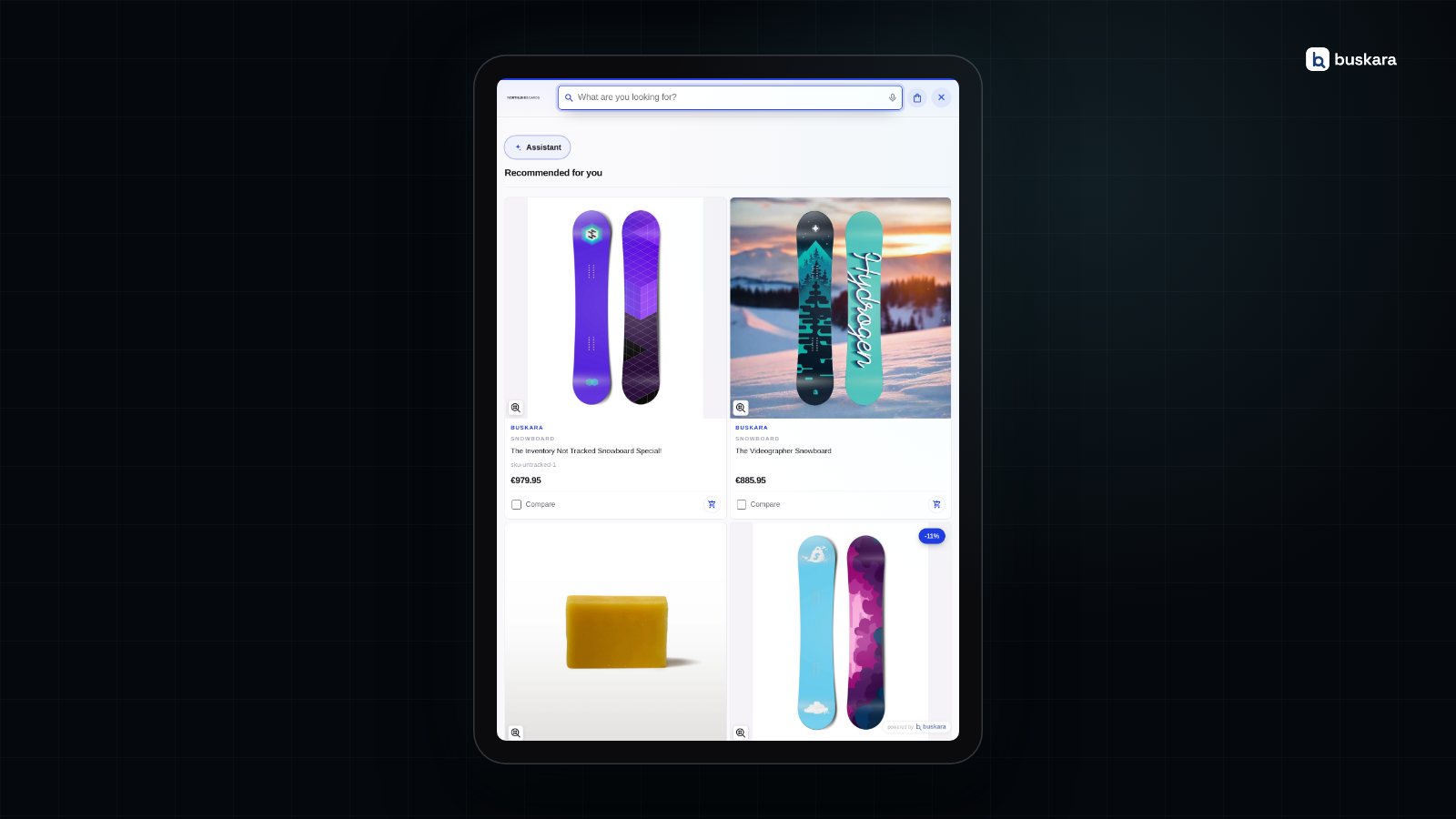
With the three options per store, the sign in plain sight and alternatives next to it. In the PrestaShop module, the products-out-of-stock option chooses between indexing anyway, pushing down in the results or hiding; the cards carry the out-of-stock label when the store turns it on in the appearance; and the similar products button, on the product page or in the results, opens alternatives in stock without leaving search. On a Shopify store the stock state arrives by webhook, seconds after it changes, and the recommendations carousel is a theme editor block.
The index keeps up with the catalogue through two paths, and neither needs configuration: real time, through the module's hooks on PrestaShop and through webhooks on Shopify, and the periodic sync, which catches what real time did not see. Neither costs anything. What has a price is forcing a complete reindex, 1 bToken per 1,000 documents sent, with the count shown before confirming; the mechanics are in how the catalogue is indexed, and when it is worth pressing the button is in reindexing the catalogue.
Pros and cons of pushing down instead of hiding
| For | Against |
|---|---|
| Whoever searches for the product by name finds it, and learns that it sold out | The list can end with a queue of out-of-stock products in a category that keeps running out |
| The product page keeps its entrance from search and its position on Google | It requires turning the label on in the cards, otherwise the out-of-stock product passes for available |
| Similar products are one click away, at the moment the customer was about to leave | A store where what sells out never comes back gains little from it |
| There is nothing to reconfigure when the product is back in stock | A category with few products shows the out-of-stock ones almost always |
The first line on the right is the serious objection, and it is the case where hiding starts to make sense: a store of one-off pieces, or a category where running out is permanent, has nothing to gain from a queue of out-of-stock products at the bottom of the list.
Frequently asked questions
Should out-of-stock products be hidden from an online store?
Only the ones that are not coming back. For temporary shortages, pushing down is better: the product is still found by whoever searches for it by name, with the out-of-stock label and after the ones in stock, and the alternatives sit next to it. Hiding turns that search into zero results with no explanation.
What do customers do when they find an out-of-stock product?
According to the Baymard Institute's research, about 30% are likely to abandon and look for the product at another store. What keeps the rest is visible alternatives for those who are not set on that product and a date for those who are; email notifications and wishlists deliver little as the primary answer.
Do out-of-stock products hurt the store's SEO?
Not for being out of stock; they hurt if the page disappears. A deleted page, or one answering with an error, loses the position and the traffic it had. The page should stay, say it is out of stock, show alternatives and mark availability in structured data as OutOfStock.
Why does store search show out-of-stock products?
Because search answers from an index, which is a copy of the catalogue, and the copy may have fallen behind or be configured to show them. The usual causes are a change that did not go through real time (import, direct edit in the database), a blocked periodic sync, or the products-out-of-stock option set to "index" or "push down".
How long does a stock change take to reach search?
Seconds, when it goes through real time: a product saved on PrestaShop fires the module's hook, and a change on Shopify arrives by webhook. A change that does not go through there, such as an import, waits for the next periodic sync or for a forced reindex.
What to do with the page of a discontinued product?
Mark it as discontinued and promote alternatives on the page itself, instead of deleting it. If the page really has to go, a redirect to the product that replaces it, or to the category, keeps whoever arrives through an old link inside the store.
Was this article useful?
Thank you.
Up next
A Shopify search app that installs like any other app, with no code and no tokens. The catalogue reaches the index in re...
Search · 9 min read The store's search in Google AnalyticsOne switch and the search starts writing to the store's dataLayer. Who decides what goes on to GA4, and with what consen...
Conversion · 12 min read Searches with no results are the shopping list nobody readsAn empty search is the only place where the customer writes down what they wanted to buy and didn't find. Four causes ex...
We only write when we have something to say
Get new articles on search, conversion, e-commerce and what we learn from real data.